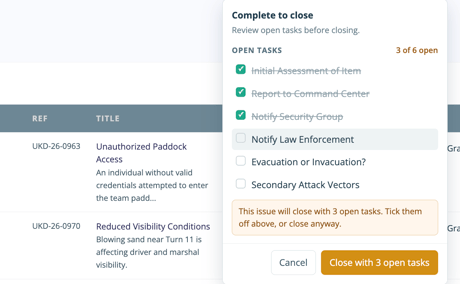
Instead of opening an issue and navigating between screens, you can make common updates right where you’re already working.
How toFrom the Log page, select the field you want to update.
A modal will appear where you can make the relevant changes, including:
- Status: Change the issue status or close the issue
- Tasks: Check off any incomplete tasks before closing
- Categories: Add any missing categories
- Priority: Change the issue priority
- Log: Change the Log the issue belongs to
Select Save to apply your changes directly from the Log.
Keep things moving
Inline editing gives you a quicker way to manage issues and keep records accurate, with fewer clicks and less time jumping between screens.
Make the change, save it, and keep moving.